Case study · Collaborative trip planner
Europe 2027
LondontoAthens
A real-time, collaborative trip planner where a spreadsheet, Kanban board, calendar, timeline, map, itinerary and budget are all live views of the same data, so an edit anywhere shows everywhere.
- Role
- Design and engineering
- Built for
- A multi-country trip across Europe, London → Athens
- Access
- Invite-only, trip members
- Stack
- Next.js 16, Supabase, AG Grid, MapKit JS
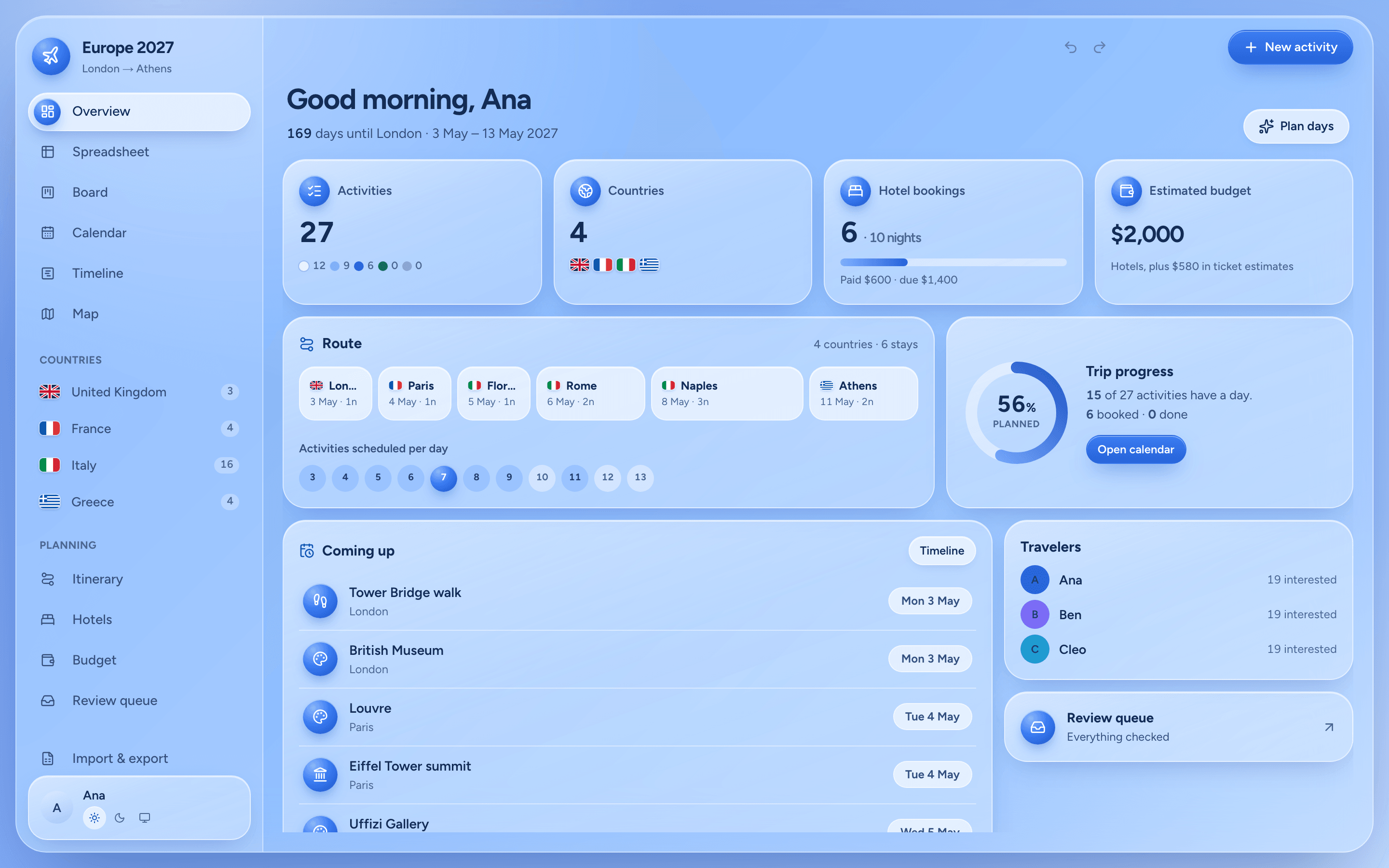
Why I built it
A group trip across several European countries was being planned in shared spreadsheets and PDFs.
So I built a tool made for it. It imports the original documents with full provenance, lets everyone edit together live, and turns the plan into a day-by-day companion on the phone during the trip.
One record, every view
Every view reads from one store. Change an activity in the spreadsheet and the board, calendar, map and itinerary already know.
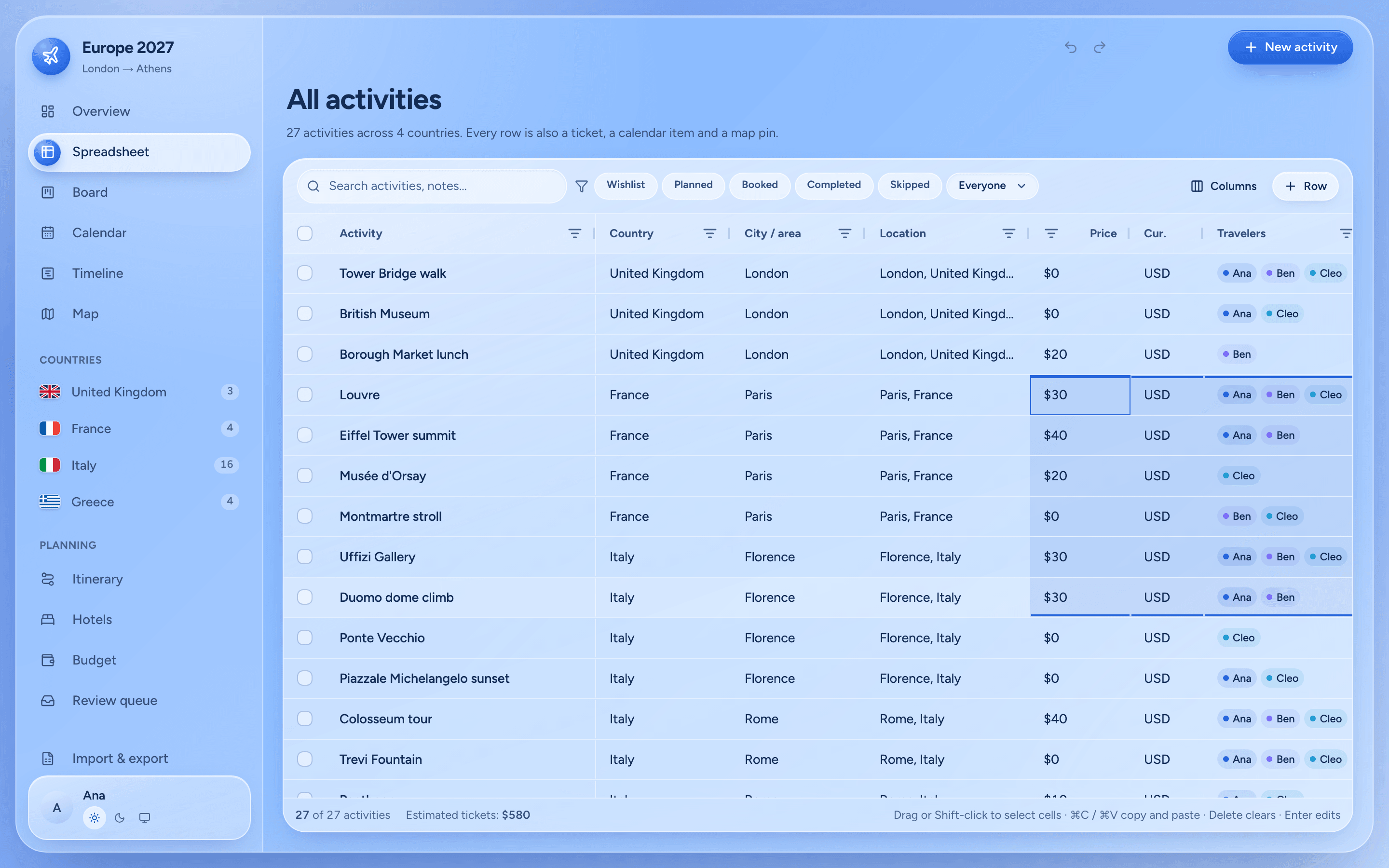
Spreadsheet. Every activity in one typed grid: select a range, paste straight from Excel or Google Sheets, undo any bulk change.
What it does
01
A spreadsheet built for the job
The core. AG Grid with a custom glass theme and a typed column model: each column defines how it displays, edits, copies, pastes and validates.
- Range selection by drag or Shift-click
- ⌘C, ⌘X and ⌘V as TSV, so you can paste from Excel or Google Sheets
- Each pasted cell is validated: money, dates, countries, statuses
- Delete clears a range; every bulk action can be undone
- Search, filters by status and traveler, column show and hide, live totals for visible rows
2 × 2 selected. Drag or Shift-click to change it; ⌘C copies it as TSV.
02
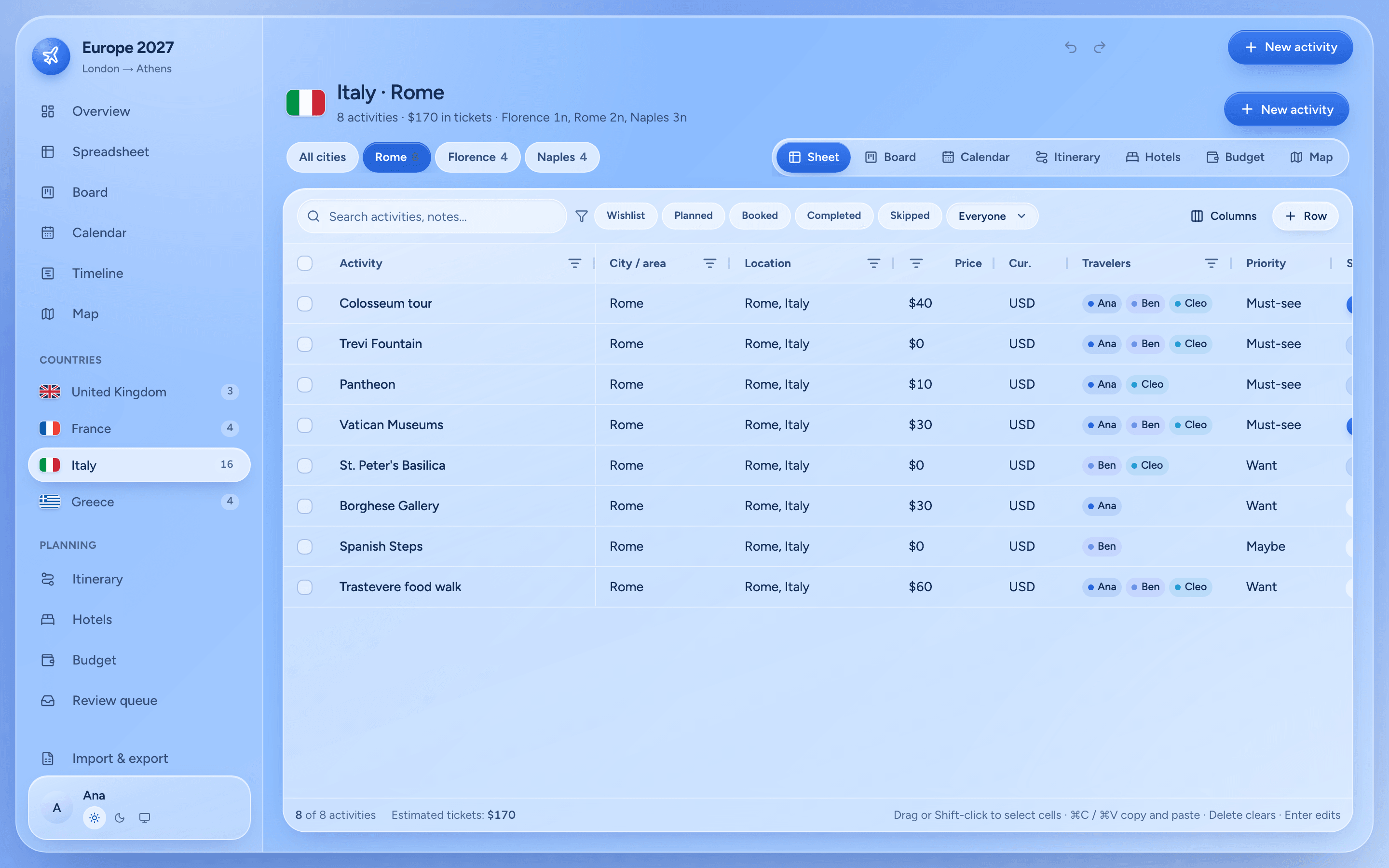
Organized by country
Countries come from the data itself and show up in the sidebar with flags and counts, in the order the trip reaches them. Each gets a workspace with city chips and its own spreadsheet, board, calendar, itinerary, map, hotels and budget.
03
Live, together
Supabase Realtime with presence, optimistic version-checked saves, global undo and redo, and comments and edit history on every activity.
04
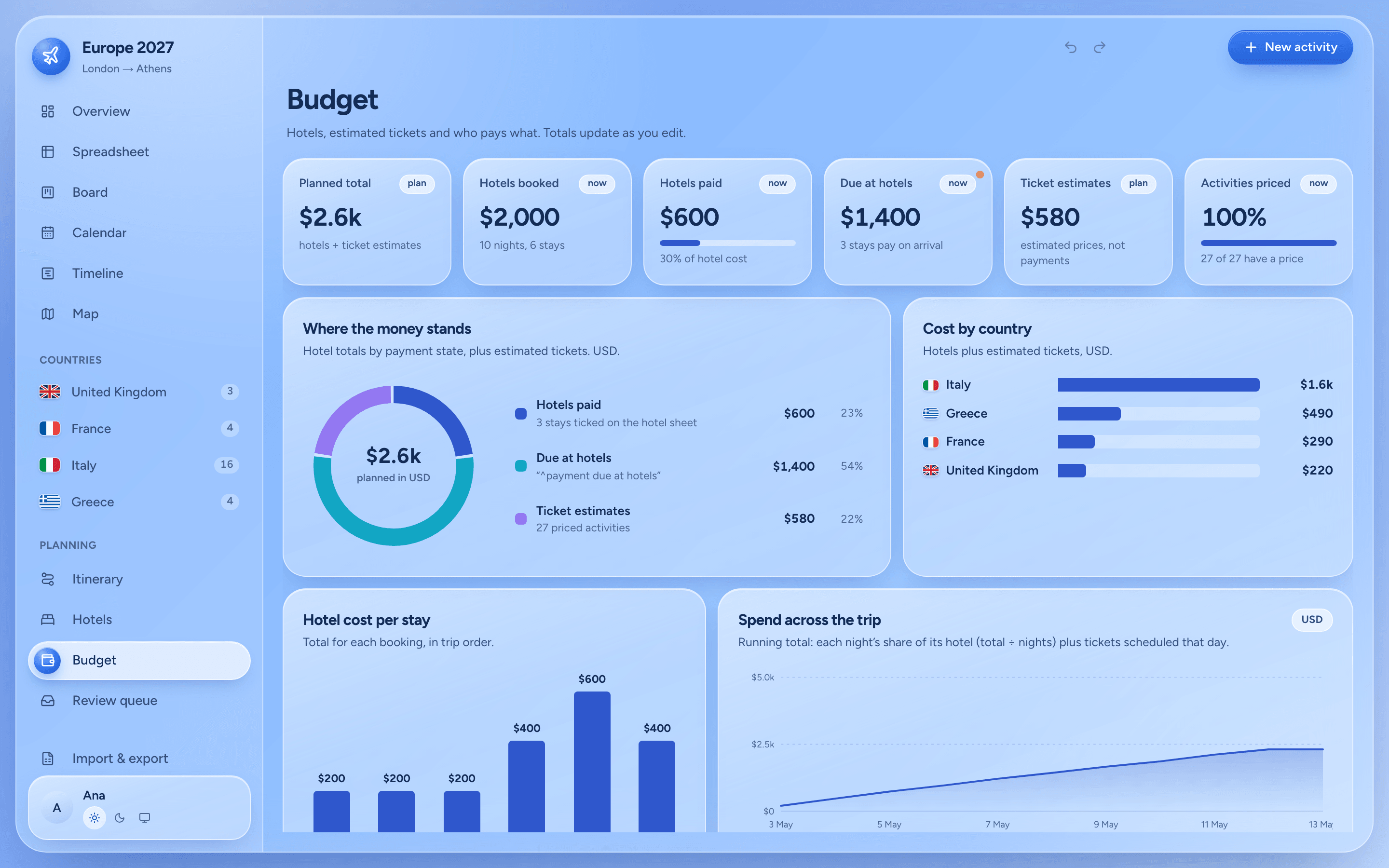
One store, many views
An overview, the spreadsheet, a dnd-kit board, a calendar, a timeline, hotels, a budget with hand-built animated SVG charts, and a review queue for flagged locations, duplicates, missing info and conflicts. Every activity opens as a detailed ticket in a side panel.
05
An itinerary that shows its work
A deterministic engine suggests a day-by-day plan from cities, hotel nights, confirmed coordinates and priorities. It never invents opening hours or travel times, and it explains its reasoning.
06
Maps
Apple Maps through MapKit JS, with MapLibre and OpenStreetMap as the fallback. An auto-pinning pass geocodes places for review.
07
Travel Mode
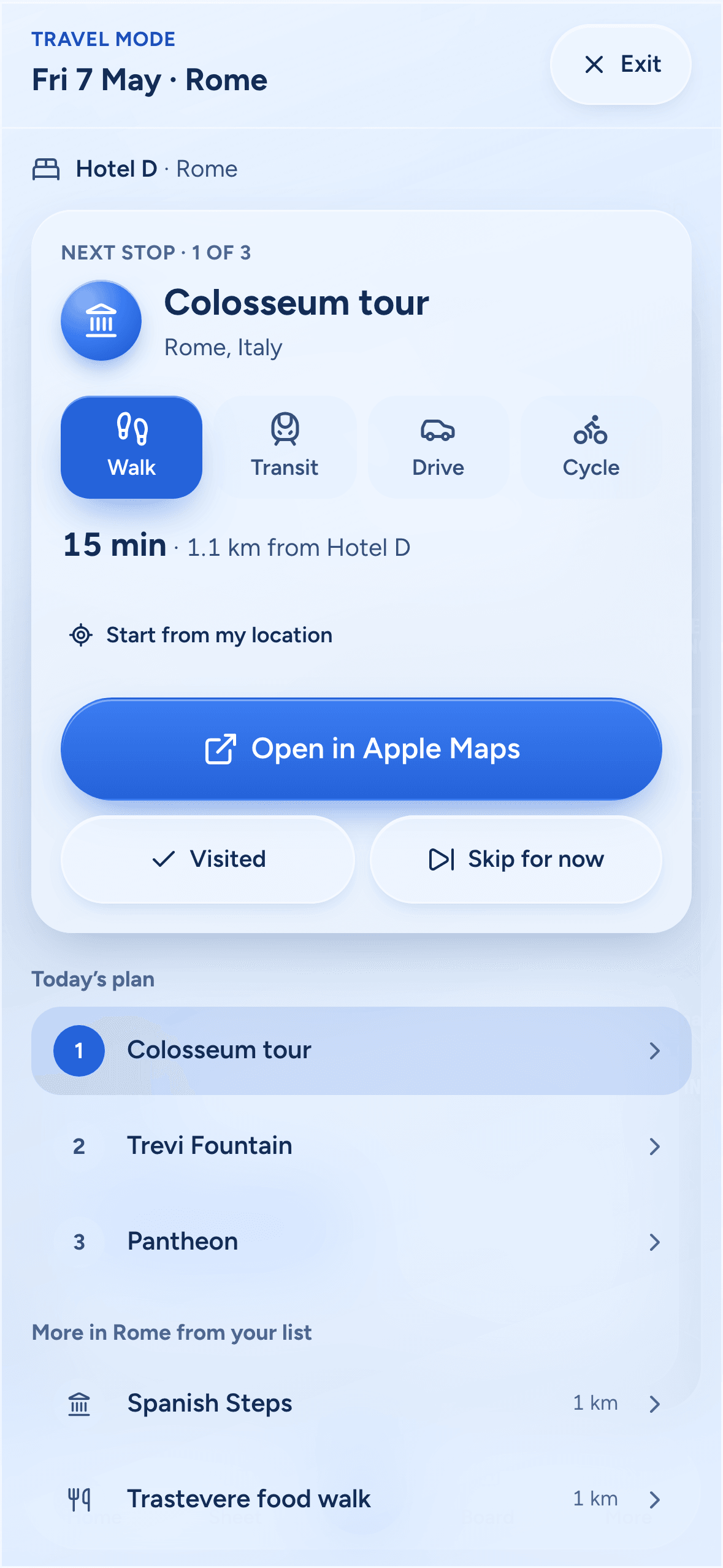
A full-screen companion on the phone for the trip itself.
08
Import with provenance
A PDF import keeps every original note word for word, with its source document, page and row, then runs integrity checks and sends anything doubtful to review. CSV and XLSX import with automatic column mapping and duplicate detection, plus CSV and XLSX export.
09
Icy-blue glass
Its own design system: layered frosted glass, a royal-blue accent, light and dark themes, a sliding nav pill, spring segmented controls, animated charts, drawers, dialogs, toasts and mobile navigation.

Nothing silently overwritten
Saves are optimistic and version-checked. Edits to different fields of the same activity merge on their own. If two people change the same field, a visible conflict comes up to resolve.
Everyone sees who’s online, the save indicator always tells the truth, and open tabs refresh to the newest deployed version once nothing is saving.
Maps & Travel Mode
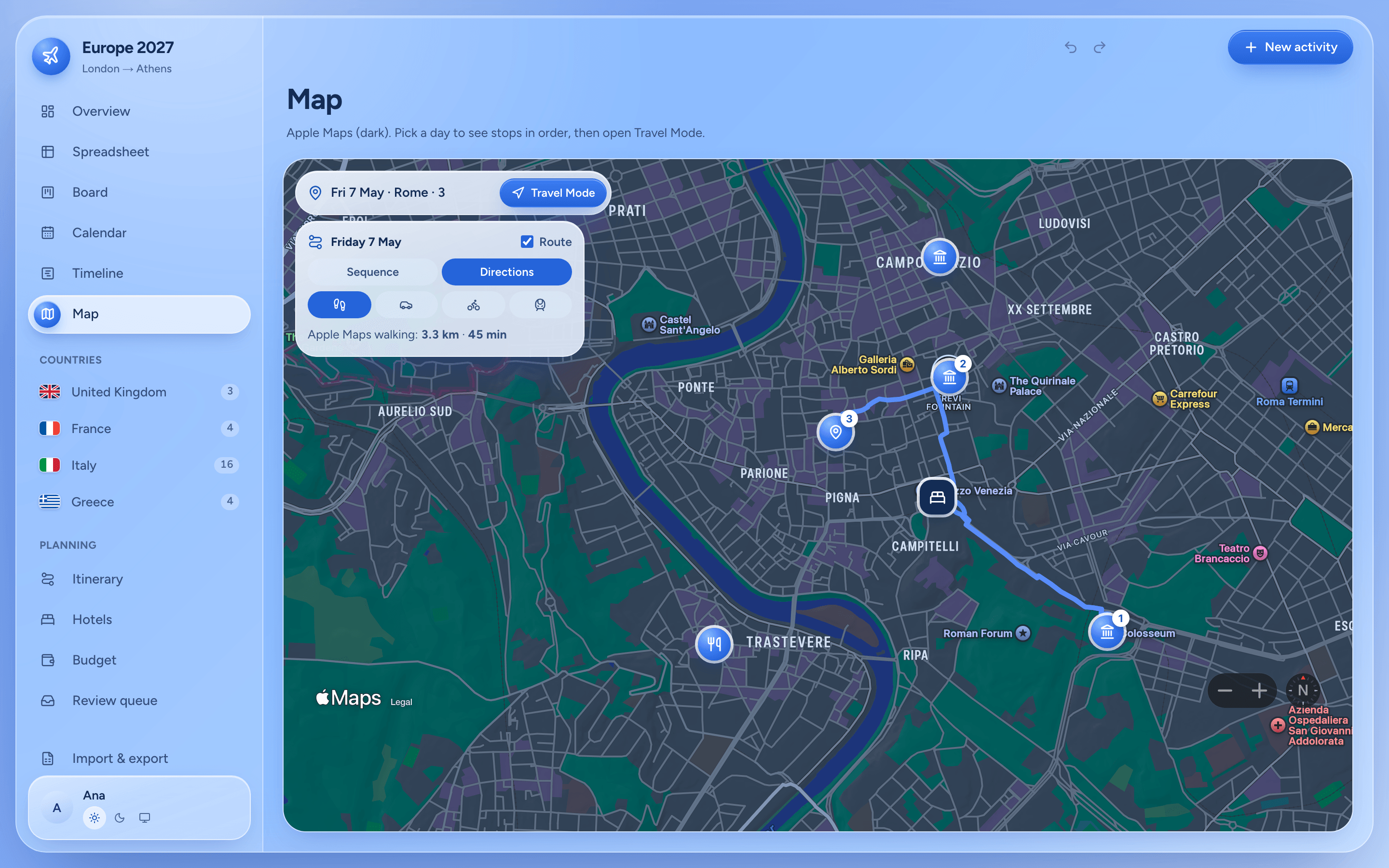
Apple Maps runs through MapKit JS. Its tokens are short-lived and signed on the server, only for signed-in travelers and allowed origins, so the private key never reaches the browser. MapLibre on OpenStreetMap is the fallback.
The day view connects stops in order, as a dashed sequence or as real Apple walking, driving or cycling directions with Apple’s own distance and time.
Travel Mode
- The next stop, the stops left, skip and complete
- Nearby pinned places in today’s city
- Walk, transit, drive or cycle, and optional “use my location”
- Travel estimates only when Apple’s directions service returns them
- A big “Open in Apple Maps” button for turn-by-turn
- 1. Hotel
- 2. Colosseum tour
- 3. Trevi Fountain
- 4. Pantheon
Engineering notes
- A single client-side store feeds every view, with optimistic, version-checked saves: different fields merge, the same field raises a conflict.
- Row-level security limits every table to trip members, and sign-in is invite-only.
- MapKit JS tokens are signed server-side and short-lived; the private key never leaves the server.
- The itinerary engine is deterministic and never fabricates opening hours or travel times.
- PDF import keeps full provenance (document, page and row) for every note, with integrity checks and a review queue.
- Vitest covers the domain logic, the importer and token signing.
Stack
- Next.js 16 (App Router)
- React 19
- TypeScript
- Tailwind CSS 4
- Motion
- AG Grid
- dnd-kit
- Supabase
- Postgres
- Realtime
- Row-level security
- Apple MapKit JS
- MapLibre GL
- ExcelJS
- PapaParse
- Zod
- date-fns
- Vitest
- Vercel
Edit it anywhere. See it everywhere.
The live app is invite-only and the code is private, so there’s no repo to share. Every example on this page uses made-up data.
← Back to the museum